Have you ever found yourself staring at a calendar, trying to figure out exactly how old you are? Maybe you’re filling out a form, planning a milestone birthday celebration, or simply curious about how many days you’ve been alive. Calculating age seems simple at first—just subtract the birth year from the current year, right? But when you start factoring in months, days, and whether you’ve had your birthday yet this year, things can get surprisingly tricky.
Whether you need to calculate your own age, find out how old someone will be on a future date, or compare ages between two people, this comprehensive guide will walk you through everything you need to know. You’ll learn manual calculation methods, discover how to use an age calculator effectively, and pick up practical tips for avoiding common mistakes. By the end, you’ll be confident in your ability to calculate age accurately for any situation.
Find your exact age, age difference, next birthday, and more — all without sign-up.
Try the Free Age Calculator →Why Knowing Your Exact Age Matters
Age calculations pop up more often than you might think. Beyond the obvious birthday milestones, there are many practical reasons to know your exact age.
- Official documents: Passport applications, driver’s licenses, and legal forms often require precise age or date of birth verification.
- Medical contexts: Doctors use age to determine appropriate treatments, medication dosages, and screening schedules.
- Eligibility requirements: Age determines eligibility for school enrollment, retirement benefits, voting, and many other age-restricted activities.
- Personal milestones: Planning a surprise party, calculating retirement dates, or simply satisfying curiosity about how many days you’ve lived.
The Basics: Understanding How Age Is Calculated
At its core, calculating age is about finding the difference between two dates: the birth date and the current date (or another target date). But because calendars have months of varying lengths and leap years add complexity, the calculation requires more than simple subtraction.
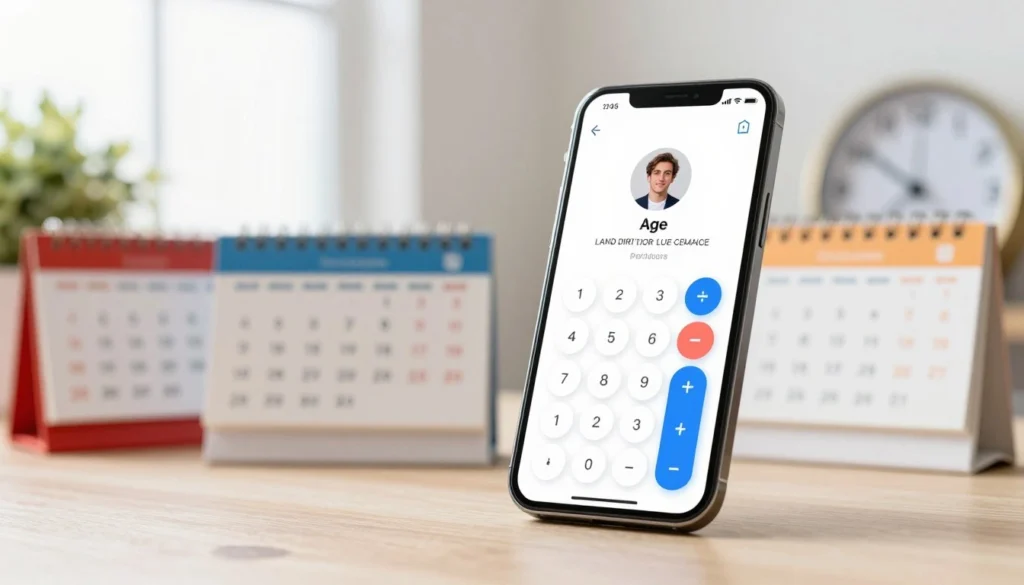
What Does “Exact Age” Mean?
Exact age typically refers to your age in years, months, and days. For example, a person might be “32 years, 4 months, and 12 days old.” This level of precision is useful for medical records, developmental milestones in children, or simply for personal interest. An age calculator can compute this automatically, but understanding the manual method helps you appreciate the process.
The Difference Between Chronological Age and Biological Age
It’s worth noting that “age” can mean different things. Chronological age is the number of years you’ve been alive—the focus of this guide. Biological age refers to how your body is aging based on various health markers, which can differ from your chronological age. While fascinating, that’s a topic for another discussion. For most practical purposes, chronological age is what you’ll need to calculate.
How to Calculate Age Manually: Step-by-Step
While an online age calculator is the fastest and most accurate method, knowing how to do it manually is a useful skill. Here’s a straightforward method that avoids common errors.
Step 1: Write Down the Two Dates
You’ll need the birth date (or starting date) and the target date (usually today’s date, but it could be any date). Write them in the format: Year, Month, Day.
For example, let’s calculate age on March 25, 2026, for someone born on July 15, 1990.
- Birth date: 1990, July, 15
- Target date: 2026, March, 25
Step 2: Subtract Years First
Subtract the birth year from the target year: 2026 – 1990 = 36 years. But this is only a starting point—we need to account for months and days.
Step 3: Compare Months
Look at the month of birth versus the month of the target date. If the birth month is earlier in the year than the target month, you keep the year difference. If the birth month is later, you subtract one year.
In our example: Birth month is July (7), target month is March (3). Since July comes after March, the birthday hasn’t occurred yet in the target year. So we subtract 1 year: 36 – 1 = 35 years.
Step 4: Calculate Months and Days
Now calculate the months and days since the last birthday. Count the months from the birth month to the target month, wrapping around the calendar if needed.
From July 15 to March 25 of the next year? Actually, we need to go from the last birthday. Since the birthday hasn’t occurred yet in 2026, the last birthday was July 15, 2025. From July 15, 2025, to March 25, 2026, is 8 months and 10 days (August, September, October, November, December, January, February, March = 8 months, plus the days from March 15 to March 25 = 10 days).
So the exact age is: 35 years, 8 months, and 10 days.
Step 5: Verify with an Age Calculator
Manual calculations are prone to error, especially with month lengths and leap years. That’s why using a reliable tool like the Spin Numbers Age Calculator is so helpful. It handles all the complexities instantly and accurately.
How an Age Calculator Works
An age calculator does all the heavy lifting for you. Instead of manually counting months and accounting for leap years, you simply enter a birth date and a target date, and the tool returns the precise age.
Modern age calculators offer several useful functions:
- Exact Age: Calculates precise age from birth to today, showing years, months, and days.
- Age Difference: Compares ages between two people, showing who is older and by exactly how much.
- Age at Date: Lets you find age at any past or future date—perfect for planning milestone celebrations or looking back at historical events.
- Next Birthday: Shows a countdown to the next birthday, including months, days, and sometimes even hours and minutes.
The Spin Numbers Age Calculator offers all these features in a clean, user-friendly interface. You can calculate exact age, compare ages between two people, find age at any date, and see how long until the next birthday—all without storing any personal data.
👉 Try the Spin Numbers Age Calculator here and get precise age calculations in seconds.
Real-Life Examples: Age Calculation in Action
Let’s explore how age calculation applies to real-world scenarios. These examples show why understanding age is important beyond simple curiosity.
Example 1: School Enrollment
A school requires children to be at least 5 years old by September 1 to enroll in kindergarten. A child born on December 15, 2020, wants to start school in September 2026. Using an age calculator, you can determine the child’s age on September 1, 2026. The result: 5 years, 8 months, and 17 days—old enough to enroll. Without an accurate calculation, parents might incorrectly assume their child is too young or too old.
Example 2: Retirement Planning
A worker plans to retire at age 65. Their birth date is May 20, 1980. Using the “age at date” function, they can find out exactly when they’ll turn 65. The calculator shows that on May 20, 2045, they will reach retirement age. They can use this information to plan finances and set a target date.
Example 3: Comparing Ages of Two Siblings
A family wants to know the exact age difference between two siblings. The older was born on March 10, 2015, and the younger on August 22, 2018. An age difference calculator reveals that the older is 3 years, 5 months, and 12 days older. This is useful for milestone planning, understanding developmental stages, or simply satisfying curiosity.
Example 4: Milestone Birthday Countdown
A woman wants to plan a surprise party for her husband’s 50th birthday. His birthday is November 3. She checks the “next birthday” countdown on June 1 and sees that there are 5 months and 2 days to plan. She can schedule vendors and invitations with confidence, knowing exactly how much time she has.
Common Mistakes When Calculating Age
Even with the best intentions, age calculations can go wrong. Here are the most frequent errors and how to avoid them.
Mistake 1: Forgetting That Birthdays Occur on Specific Dates
Simply subtracting birth year from current year works only if the birthday has already occurred this year. If it hasn’t, you need to subtract one year. This is the most common manual calculation error. An age calculator automatically handles this nuance.
Mistake 2: Ignoring Leap Years
Leap years add an extra day to February every four years. While this doesn’t affect year-based calculations, it matters for day counts and exact ages. A person born on February 29 might celebrate their “official” birthday on February 28 or March 1 in non-leap years—a nuance that good age calculators handle.
Mistake 3: Miscalculating Months with Different Lengths
Months have 28, 29, 30, or 31 days. When calculating months and days manually, it’s easy to miscount. For example, the number of days between January 31 and March 1 is not the same as between February 1 and March 31. A calculator eliminates this confusion.
Mistake 4: Using Incorrect Date Formats
Different countries use different date formats (MM/DD/YYYY vs. DD/MM/YYYY). Entering the wrong format can produce wildly inaccurate results. Always double-check your input, especially when using an online tool.
Best Practices for Accurate Age Calculation
Follow these best practices to ensure your age calculations are always correct.
Always Use a Reliable Age Calculator for Important Purposes
For legal documents, medical records, or financial planning, use a trusted tool. The Spin Numbers Age Calculator is designed for accuracy and privacy, giving you confidence in your results.
Double-Check Your Input Dates
Before clicking calculate, verify that you’ve entered the correct day, month, and year. A simple typo can change the result dramatically. Many calculators show a preview of the entered date to help catch errors.
Understand What “Exact Age” Includes
Exact age typically includes years, months, and days. Some contexts may only need years (for example, “age 21” for voting). Know what level of precision your situation requires.
Consider Time Zones for Birth Time-Sensitive Calculations
For most purposes, date-based age is sufficient. However, for legal matters that depend on the exact moment of birth (like turning 18 at midnight), time zones can matter. In such cases, consult with a legal or medical professional.
Advanced Age Calculations: Beyond Basic Age
Once you’ve mastered basic age calculation, you might find these advanced applications useful.
Age in Days, Hours, and Minutes
Some people enjoy knowing exactly how many days they’ve been alive. To calculate this, you can use a date difference calculator that shows the total number of days between two dates. Multiply by 24 for hours, and by 1,440 for minutes. It’s a fun way to appreciate the passage of time.
Age at a Future Event
Planning a wedding, graduation, or retirement? Use the “age at date” function to determine how old you’ll be when that event occurs. This helps with planning and sets meaningful milestones.
Generational Age Differences
Comparing ages across generations can be fascinating. How old were your grandparents when you were born? How old will you be when your child graduates? These calculations provide perspective on family timelines.
Security and Privacy When Using Online Age Calculators
Age calculators require you to enter birth dates—personal information that should be handled with care. Here’s how to protect your privacy.
Choose Tools That Don’t Store Data
The best age calculators, including the Spin Numbers Age Calculator, process all data locally in your browser. No information is sent to servers or stored. You can use the tool with complete confidence that your birth date remains private.
Look for HTTPS Encryption
Even for simple tools, ensure the website uses HTTPS (look for the padlock icon). This encrypts your connection and prevents anyone from intercepting your data.
Avoid Entering Personal Information on Untrusted Sites
If a calculator asks for your name, email, or other identifying details alongside your birth date, consider whether that’s necessary. For simple age calculation, it’s not. Stick to tools that respect your privacy.
Clear Your Browser History If Sharing Devices
If you’re using a shared computer, you may want to clear your browser history or use private browsing mode to ensure your personal information isn’t accessible to others.
FAQs About Age Calculation
1. How do I calculate my exact age in years, months, and days?
You can calculate manually using the step-by-step method described above, or use an online age calculator like the Spin Numbers Age Calculator. Simply enter your birth date and today’s date, and the tool will display your exact age in years, months, and days.
2. What’s the difference between chronological age and corrected age?
Chronological age is the time elapsed since birth. Corrected age (often used for premature infants) adjusts for how early a baby was born to better assess developmental milestones. For example, a baby born 2 months early would have a corrected age 2 months less than their chronological age for developmental assessments.
3. How do leap years affect age calculation?
Leap years add an extra day to February every four years. For most age calculations, this doesn’t affect the year count, but it matters for day-precise calculations. A person born on February 29, 2000, would have celebrated their birthday on February 28 or March 1 in non-leap years. Age calculators account for this automatically.
4. Can I calculate my age at a specific past or future date?
Yes. Use an age calculator that offers an “age at date” function. Enter your birth date and any target date (past, present, or future), and the tool will tell you exactly how old you were or will be on that date.
5. How do I calculate the age difference between two people?
Use an age difference calculator. Enter both birth dates, and the tool will show you who is older and the exact difference in years, months, and days. This is useful for planning joint celebrations or simply satisfying curiosity.
6. How is age calculated for legal purposes?
Legal age calculations vary by jurisdiction and context. For most purposes, a person reaches a specific age at the beginning of their birthday (or in some cases, the end of the day before). For critical legal matters, consult with a legal professional who understands the specific rules in your area.
7. How do I find out how many days until my next birthday?
Use an age calculator with a “next birthday” or countdown feature. Enter your birth date, and the tool will show you exactly how many months, days, and sometimes hours remain until your next celebration.
8. Are online age calculators safe and accurate?
Yes, reputable age calculators are both safe and accurate. The Spin Numbers Age Calculator is designed with privacy in mind—all calculations happen in your browser without storing data. For accuracy, it uses standardized date calculation algorithms that account for leap years and month lengths.
Conclusion: Mastering Age Calculation for Life’s Milestones
Knowing how to calculate age—whether your own, someone else’s, or a future milestone—is a practical skill that serves you throughout life. From filling out official forms to planning meaningful celebrations, accurate age calculation ensures you’re always prepared.
While manual calculation is possible, the complexities of months, leap years, and date comparisons make online tools the most reliable choice. A good age calculator does more than just subtract dates—it provides exact ages in years, months, and days, compares ages between people, shows ages at any date, and counts down to next birthdays.
The Spin Numbers Age Calculator puts all these capabilities at your fingertips. Whether you’re planning a 50th anniversary, checking eligibility for a program, or simply curious about the exact difference between your age and a friend’s, you can get answers instantly—with complete privacy and accuracy.
Age is more than just a number. It marks chapters in your life story, helps you plan for the future, and connects you to the passage of time. By mastering age calculation, you’re better equipped to navigate life’s milestones with confidence and clarity.