
Every spin on Spin Numbers generates a statistically independent result. No draw is influenced by previous outcomes. Each number in your configured range carries exactly equal probability on every spin.
Your Numbers
Popular Draw Configurations
Based on real usage, here are the most common setups other users configure.
Notice: This tool is intended for random selection and entertainment. It does not facilitate gambling, betting, lotteries, casino games, or any activity involving real-money wagering or prizes.
Spin Wheel Number Generator – Free & Instant
Use this spin wheel number generator to spin a random number in any range, with no repeats and fair results every time. Free, no sign-up, works on any device. Scroll down to explore all our free tools.
Different Ways to Spin
People land on this wheel looking for a few different things, and it handles them all. Some want a number picker to choose one value out of a set range. Others are after a number spinner that keeps going for repeated draws — a raffle, a classroom pick, a round of a game. And some just want a simple wheel of numbers they can watch spin before it lands on a result, because a visible spin feels fairer than a number that just appears.
Whichever way you think of it, the mechanics are the same: set your range, choose how many numbers you need, decide whether repeats are allowed, and spin. Need to spin a number just once for a quick decision? One tap does it. Running a giveaway that needs a fresh draw every time? Turn off repeats and spin again. It is one tool built to work exactly how you expect a number picker, spinner, or wheel to work.
All Our Free Tools
Every Spin Numbers tool in one place — calculators, random pickers, generators, and converters. All free, no sign-up, and instant in your browser.
Calculators
View all →Random & Pickers
View all →Generators
View all →Converters
View all →Decisions
View all →Planning
View all →How to Use Spin Numbers
Follow these simple steps to configure your draw, set your range, and pick unique numbers with zero duplicates in just a few clicks.
Choose How Many Numbers
Type the exact amount of numbers you want to draw into the "To Draw" input field.
Example: Enter 6 if you are picking six numbers for a number game.
Set Your Number Range
Type the highest number in your pool into the "Total Numbers" field.
Example: Enter 49 to draw numbers between 1 and 49.
Prepare the Wheel
Click the SETUP button to instantly load all numbers into the Spin Numbers wheel.
Example: Your full range appears as colored balls on screen.
Spin to Pick
Click the central SPIN button to start the animation and select your numbers one by one.
Example: Watch the wheel spin and land on a selected number.
No Repeats, Ever
Each drawn number is removed from the pool immediately, so every result is unique and every spin is fair.
Example: In a 6 from 49 draw, no number can appear twice.
Copy Your Results
Your drawn numbers appear together in a clear results window. Review and copy them with a single click.
Example: Share your draw results with your group instantly.
How Spin Numbers Generates Fair Results
Spin Numbers generates results using a pseudo-random algorithm seeded by dynamic system inputs at the exact moment you click. Every number in your chosen range has statistically equal probability of being selected. Once a number is drawn, it is removed from the pool immediately, eliminating duplicates entirely for the duration of your session.
Every number has an equal chance. No patterns. No repeats.
All calculations run entirely inside your browser. No results are sent to any server, no data is stored, and no account is required. What happens on Spin Numbers stays on your screen.
Who Uses Spin Numbers and Why
Classrooms and Group Activities
Teachers use Spin Numbers to call on students without bias, assign group roles, and pick activity order fairly. The animated wheel keeps students engaged while the no-duplicate rule ensures every student gets an equal opportunity across a full session. For a detailed guide on running fair classroom draws, read our article on how random name selection works in the classroom.
Giveaways, Events and Random Draws
Event hosts, content creators, and business managers use Spin Numbers to run draws they can show on screen in real time. The live spinning animation proves to every participant that results are selected by a fair, unbiased process with no human influence. For a complete walkthrough, see our step-by-step guide to running a fair giveaway draw.
Games, Number Picks and Daily Decisions
Whether you need number combinations for a game, a starting order for a board game, or a fast neutral answer to a low-stakes daily decision, Spin Numbers gives you a fair result in seconds. No deliberation, no bias, no arguments.
Private, Secure and 100% Free
Spin Numbers is completely client-side. Every calculation runs inside your own browser session. No numbers you enter, no results you generate, and no session data of any kind is ever transmitted to our servers or shared with third-party services. There is no account to create, no email to provide, and no subscription required. Open Spin Numbers, configure your draw, and get a fair result in seconds.
Spin Numbers vs Manual Selection
Manual Selection
- Introduces unconscious bias
- Favors familiar or visible options
- Cannot be independently verified
- Produces predictable patterns over time
- Creates perception of favoritism
Spin Numbers
- Equal probability on every spin
- No position or order bias
- Visible process anyone can watch
- Statistically independent results
- Accepted as fair by all participants
Research on procedural justice consistently shows that people accept outcomes more readily when they can observe the selection process happening in real time. A visible random draw produces fewer disputes than any announced result, regardless of how the announcement was generated.
Latest Guides & Ideas
Discover tips, tutorials, and creative ways to use random wheels, number generators, classroom activities, giveaways, and decision-making tools.
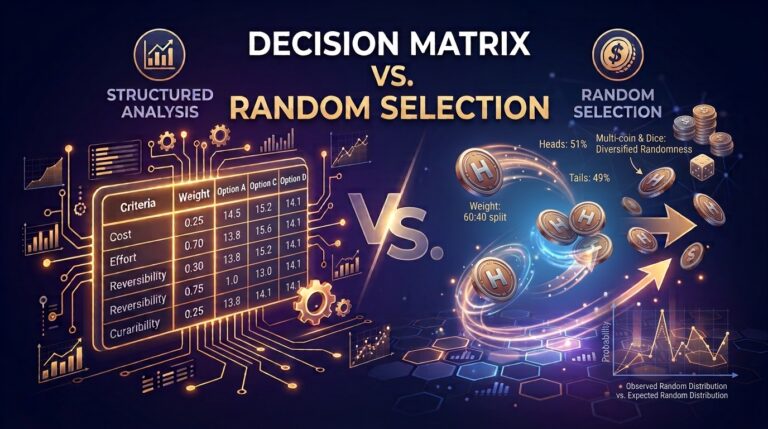
Decision Matrix vs. Random Selection: When to Analyze and When to Flip
Have you ever spent hours agonizing over a simple choice, only to wonder if a coin toss would...
Read Article →
Why the Decision Making Process Breaks Down When You Are Tired (And How to Fix It)
By Spin Numbers · June 2026 . 10 minute read The decision making process does not fail because...
Read Article →
No-Prep Classroom Resources That Actually Work
A practical guide to specific tools, tested activities, and fair participation systems with honest trade-offs for every one...
Read Article →Frequently Asked Questions
Everything you need to know about how Spin Numbers works, what it is used for, and why it produces fair results every time.
Is Spin Numbers truly random?
Yes. Spin Numbers uses a pseudo-random algorithm seeded by real-time system inputs at the exact moment of each spin. Every number in your configured range has equal probability of selection. For everyday draws, giveaways, and games, this is statistically indistinguishable from true randomness and fully reliable.
Does Spin Numbers store my data?
No. All calculations run entirely inside your browser. Nothing you enter or generate is sent to any server, stored in any database, or shared with any third party. Your session data disappears the moment you close or refresh the page.
How many numbers can I generate at once?
You can draw any quantity up to the full range you configure. Set your total pool in the "Total Numbers" field and the quantity you want in the "To Draw" field. Spin Numbers handles the rest with no duplicates guaranteed.
Is Spin Numbers free to use?
Yes, completely free. No account, no download, no subscription, and no limits on how many times you spin. Open the tool in any browser on any device and start generating fair random numbers immediately.
Can I use Spin Numbers on my phone?
Yes. Spin Numbers is fully responsive and works on smartphones and tablets directly from your mobile browser. The interface adapts automatically to any screen size with no app installation required.
Can I use Spin Numbers for a live event draw?
Yes, and many event hosts do exactly this. Project Spin Numbers on a screen during your event so every participant watches the draw happen in real time. The visible, animated process makes results transparent and removes any question about fairness.
What is the difference between To Draw and Total Numbers?
Total Numbers defines your full pool, for example 1 to 49. To Draw defines how many numbers you want to select from that pool. Set Total Numbers to 49 and To Draw to 6 to pick 6 unique numbers from a pool of 49. The wheel handles the rest automatically with no repeats.
What happens if I click Setup again mid-session?
Clicking Setup resets the wheel entirely with your current settings. All previously drawn numbers are cleared and the full pool is restored. Use this to start a completely fresh draw with the same or different parameters.