
If you have ever looked under the hood of a website’s code, sent an image via email, or worked with APIs, you have likely stumbled upon a string of random-looking letters and numbers ending with an equals sign or two. That jumble is often Base64, and it is one of those quiet workhorses of the digital world.
Whether you are a developer debugging an API response, a marketer trying to embed images in an email newsletter, or just someone curious about how data travels across the internet, learning how to use a base64 encoder and decoder is a surprisingly useful skill. Our Spin Numbers Base64 Encoder and Decoder makes the process simple, private, and instant.
In this guide, we will walk through what Base64 encoding actually is, how to use it, and most importantly, when to use it. We will skip the overly complex math and focus on practical, real-world situations. By the end, you will be able to confidently encode text to base64, decode base64 to text, and understand the pitfalls to avoid.
What Is Base64 Encoding? A Simple Explanation
Let us start with the basics. At its core, Base64 is a method for converting binary data (like images, PDFs, or even just plain text) into a text-based format using only 64 specific ASCII characters. Think of it as a translator that allows binary data to travel safely through systems originally designed only for text.
Why 64? The character set includes uppercase letters (A-Z), lowercase letters (a-z), numbers (0-9), and two extra symbols (usually “+” and “/”). That gives us exactly 64 characters. The “=” symbol is used for padding at the end to ensure the data length is correct.
Imagine you are trying to mail a fragile sculpture. You would not just drop it in a cardboard box; you would wrap it in bubble wrap first. Base64 is like that bubble wrap. It protects the data (the sculpture) from being corrupted during transmission through systems that might not handle raw binary data well.
Why Was Base64 Created?
Back in the early days of the internet, email systems (SMTP) were designed to handle only text. They would often mangle binary data, stripping out bytes they did not recognize. Base64 emerged as a standard way to “hide” binary data inside text so it could pass through these systems intact. Today, while email has evolved, Base64 is used everywhere, from data URIs in HTML to JSON Web Tokens (JWTs) and even basic authentication headers.
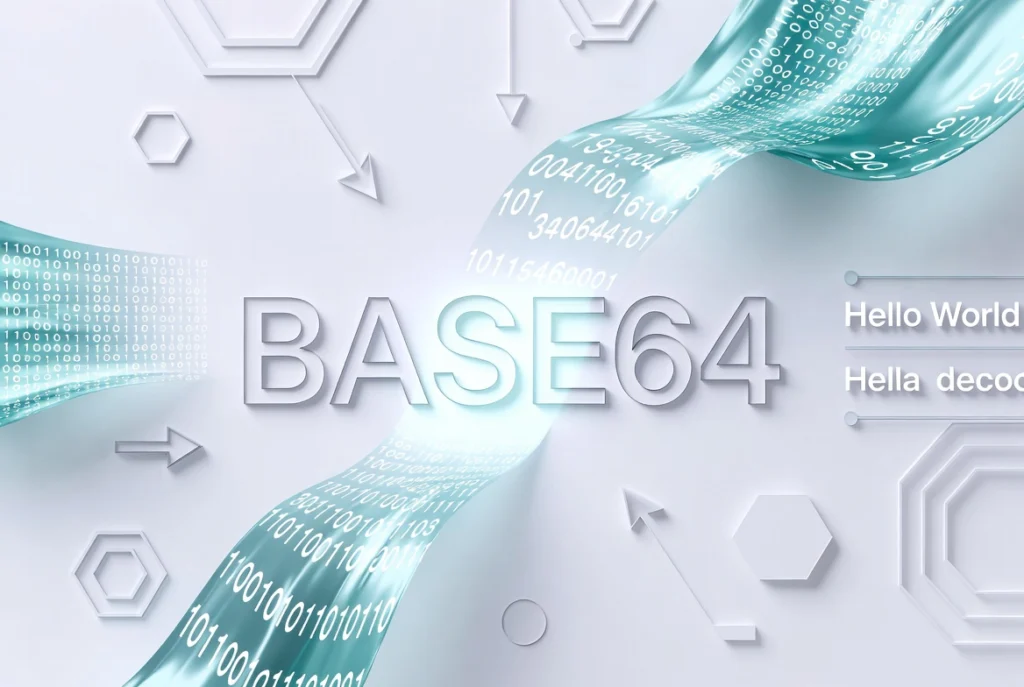
How Does a Base64 Encoder and Decoder Work?
You do not need to memorize the algorithm to use it, but understanding the process helps you appreciate why your base64 string looks the way it does.
When you base64 encode something, the system looks at the binary data in chunks of 24 bits (3 bytes). It then splits those 24 bits into four groups of 6 bits each. Each 6-bit group corresponds to a number between 0 and 63, which maps to one of the 64 characters in the Base64 alphabet.
When you decode base64 to text, it does the reverse. It takes the four characters, maps them back to binary, and reassembles the original data.
Quick example: If we encode the word “Man”:
- Text: Man
- Base64: TWFu
Notice how three characters became four. This is why Base64 encoded data is about 33 percent larger than the original. It is a trade-off: safety and compatibility in exchange for a bit of extra space.
Common Use Cases for Base64 Encoding
Knowing what it is only gets you so far. Let us look at where you will actually use a base64 converter online or need to encode data manually.
1. Embedding Images in HTML and CSS
Instead of linking to an external image file, you can embed the image directly into your code. This is great for small icons or images in newsletters where you do not want to rely on external servers. You might see something like this in an img src attribute:
data:image/png;base64,iVBORw0KGgoAAAANSUhEUgAA...This is a base64 example of a data URI. It loads the image instantly because the browser does not have to make an extra HTTP request.
2. API Authentication (Basic Auth)
When an API uses Basic Authentication, it sends your username and password in the headers. But it does not send them as plain text. It combines them into a string like “username:password” and then uses a base64 encoder and decoder to encode them. It is not encryption (anyone can decode it), but it is the standard format.
3. Email Attachments (MIME)
Ever wondered how an email server handles a PDF attachment? The email client converts the PDF into a Base64 string and places it in the body of the email with special headers. The recipient’s client then decodes base64 to text (or binary) to reconstruct the file.
4. Storing Complex Data in JSON
JSON is a text-based format. If you need to transmit binary data (like a file hash or a small image) inside a JSON payload, you cannot just send raw binary. You encode it as a Base64 string, making it safe to include as a string value.
Step-by-Step: How to Use a Base64 Encoder and Decoder
There are dozens of ways to encode and decode data. Here is how to do it depending on your situation.
Method 1: Using an Online Tool (Easiest)
If you just need a quick conversion, a base64 converter online is your best bet. The Spin Numbers Base64 Encoder and Decoder runs entirely in your browser, so your data never leaves your computer. This is especially important if you are handling passwords or sensitive keys.
- Open Base64 Encoder and Decoder. tool
- Paste your text into the “Encode” field or your Base64 string into the “Decode” field.
- Click the corresponding button to get your result.
- Copy the output to your clipboard.
Method 2: Using the Browser Console (For Developers)
If you are a developer, you do not need to leave your browser. JavaScript has built-in functions for this. Open your browser’s developer tools (F12) and go to the Console tab.
- To encode text to base64:
btoa("Hello World");returns “SGVsbG8gV29ybGQ=” - To decode base64 to text:
atob("SGVsbG8gV29ybGQ=");returns “Hello World”
Note: btoa and atob work great for plain text. For complex characters like emojis, you will need a more robust method, covered in the Pro Tips section.
Method 3: Using Command Line (Linux, Mac, Windows WSL)
For those comfortable with the terminal, it is incredibly fast.
- Encode a string:
echo -n 'Hello World' | base64 - Decode a string:
echo 'SGVsbG8gV29ybGQ=' | base64 --decode - Encode a file (like an image):
base64 image.png > encoded.txt
Common Mistakes to Avoid
Even though Base64 seems straightforward, there are a few common traps that developers and non-technical users fall into. Avoiding these will save you hours of debugging.
Confusing Encoding with Encryption
Base64 is NOT encryption. It is just a representation. If you encode a password, anyone can decode it instantly. Never use Base64 to “secure” sensitive data.
Forgetting the Padding (=)
Some decoders are strict. If you remove the trailing “=” from a Base64 string, it might fail to decode. Always include padding unless you are sure your decoder supports its omission.
Handling Unicode Characters Incorrectly
JavaScript’s btoa() fails on emojis or accented characters. The string must be UTF-8 encoded first. Use a UTF-8 safe function.
Using It on Large Files
Encoding a 50MB image into Base64 will blow up your memory and make your HTML file massive. Use it for small assets (under 1MB) or specific data payloads only.
Mixing Up URL-Safe Base64
Standard Base64 uses “+” and “/”, which have special meanings in URLs. If you are putting Base64 in a URL, you need to replace these with “-” and “_” (URL-safe Base64).
Pro Tips: Advanced Insights for Working with Base64
1. Handle UTF-8 Characters Properly
If you try to encode an emoji or a foreign character like “✓” using the browser’s btoa(), you will get an error. The solution is to convert the string to a UTF-8 binary blob first.
function utf8ToBase64(str) { return btoa(unescape(encodeURIComponent(str))); }
function base64ToUtf8(str) { return decodeURIComponent(escape(atob(str))); }
This ensures that even the strangest characters encode and decode properly.
2. Know When NOT to Use Base64
It is tempting to encode everything. But Base64 increases data size by roughly 33 percent, which impacts bandwidth and storage. For modern web applications, sending binary data via Blob or ArrayBuffer is often more efficient than embedding Base64 strings in JSON. Use Base64 for text-based contexts like JSON or XML and raw binary for everything else.
3. URL-Safe Encoding
If you are using Base64 in a query string or URL slug, always use the URL-safe variant. Many online tools have a “URL-safe” checkbox. In programming languages, functions like base64.urlsafe_b64encode() in Python handle this automatically. It replaces “+” with “-” and “/” with “_”, and often strips padding.
Privacy and Transparency Note
When using an online base64 encoder and decoder, it is wise to be cautious about what you paste. If you are working with API keys, personal data, or proprietary code, use a tool that processes data locally in your browser. The Spin Numbers Base64 Encoder and Decoder runs entirely client-side, ensuring your sensitive information never gets uploaded to a server. If you are unsure, the browser’s developer console or a command-line tool are the safest bets.
Frequently Asked Questions (FAQ)
1. Is Base64 encoding secure?
No, not at all. Base64 is an encoding standard, not an encryption method. It does not use a key and is trivially reversible. Anyone with a base64 converter online can decode your data in seconds. Never use Base64 to protect passwords or sensitive information.
2. Why does my Base64 string end with one or two equals signs?
The equals signs (“=”) are padding. Base64 works on 3-byte chunks. If the last chunk of data is less than 3 bytes, padding is added to make it a multiple of 4 characters. It tells the decoder how much of the last chunk is actual data.
3. Can I encode an image to Base64?
Absolutely. You can convert an image file (like a PNG or JPG) into a base64 string. This is often used for small icons in CSS or HTML to reduce HTTP requests. However, for large images, this is inefficient because it increases file size and slows down page loading.
4. What is the difference between Base64 and UTF-8?
UTF-8 is a character encoding that represents all Unicode characters. Base64 is a way to represent binary data using only ASCII text. They serve different purposes. You might encode text to base64 after it has been represented in UTF-8 bytes.
5. Why cannot I decode my Base64 string?
Common reasons include: your string contains invalid characters (check for spaces, line breaks, or URL encoding), your string is missing padding (“=”), or you are trying to decode a string that was originally binary data (like an image) into plain text. If the original data was not text, the decoded result will look like gibberish.
6. Does Base64 work with all programming languages?
Yes, Base64 is a universal standard. Every major programming language, including Python, JavaScript, Java, PHP, C#, Ruby, and Go, has built-in libraries or functions to handle Base64 encoding and decoding. The algorithms are consistent across all platforms.
7. What is “Base64 URL Safe” encoding?
Standard Base64 uses the “+” and “/” characters, which can cause issues in URLs and file names. URL-safe Base64 replaces these with “-” and “_” respectively, making the string safe to use in web contexts without additional escaping.
8. Is the Spin Numbers Base64 Encoder safe to use?
Yes. The tool runs entirely in your browser. No data is sent to any server. Your text and files stay private on your device.
Conclusion: Use Base64 Wisely
Learning how to use a base64 encoder and decoder is like adding a versatile tool to your digital toolkit. It is not flashy, but it solves a specific, recurring problem: moving binary data through text-based systems.
Whether you are embedding a tiny logo in your email signature, debugging a JWT token from an API, or ensuring your JSON payloads stay intact, Base64 has your back. Just remember its limitations: it is not encryption, it increases file size, and it requires careful handling of special characters.
The next time you see a long string of characters ending in an equals sign, you will know exactly what is happening behind the scenes. And if you need to convert something yourself, you now have a handful of reliable methods, including the Spin Numbers Base64 Encoder and Decoder, which keeps your data private and secure.