Random Password Generator Test: How Strong Are the Passwords?
We generated 3,000 passwords and tested variety, randomness and strength, then compared the results with NIST guidance on password length.

By Said · November 2026 · 5-minute read
A password generator is only useful if what it produces is truly random and long enough. So we tested ours. We generated 3,000 passwords with the Spin Numbers Random Password Generator, read its code, calculated how strong its passwords are in bits, and compared the result with what NIST recommends about length. This article shows what we found, including one result that surprised us.
Tested on 23 November 2026 in Chrome on Windows. The findings describe this tool in this setup. They are not a security certification.
The short version
- Variety guarantee: all 3,000 passwords (16 characters, all four types selected) contained at least one uppercase letter, one lowercase letter, one digit and one symbol. None was a duplicate.
- Fair choice within each type: uppercase letters, lowercase letters, digits and symbols each appeared evenly (chi-square p-values 0.79, 0.64, 0.75 and 0.22).
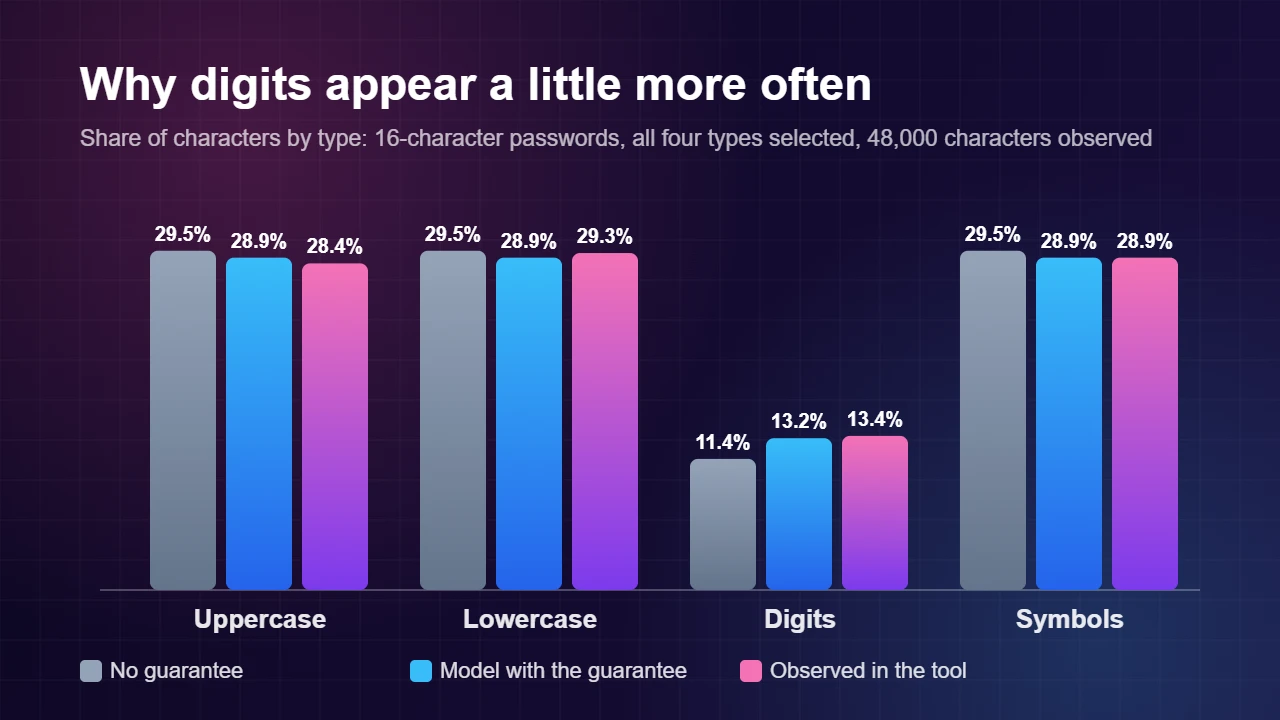
- The surprise: digits made up 13.4% of all characters, not the 11.4% a naive draw would give. That is a side effect of guaranteeing one of each type. It costs only 0.24 bits out of about 103.
- Strength: a 16-character password from this tool has about 103 bits of entropy.
- Exclusion options work: with “exclude similar” and “exclude ambiguous” both on, 2,000 passwords contained none of the excluded characters.
How the generator works
We read the tool’s JavaScript to see exactly what it does:
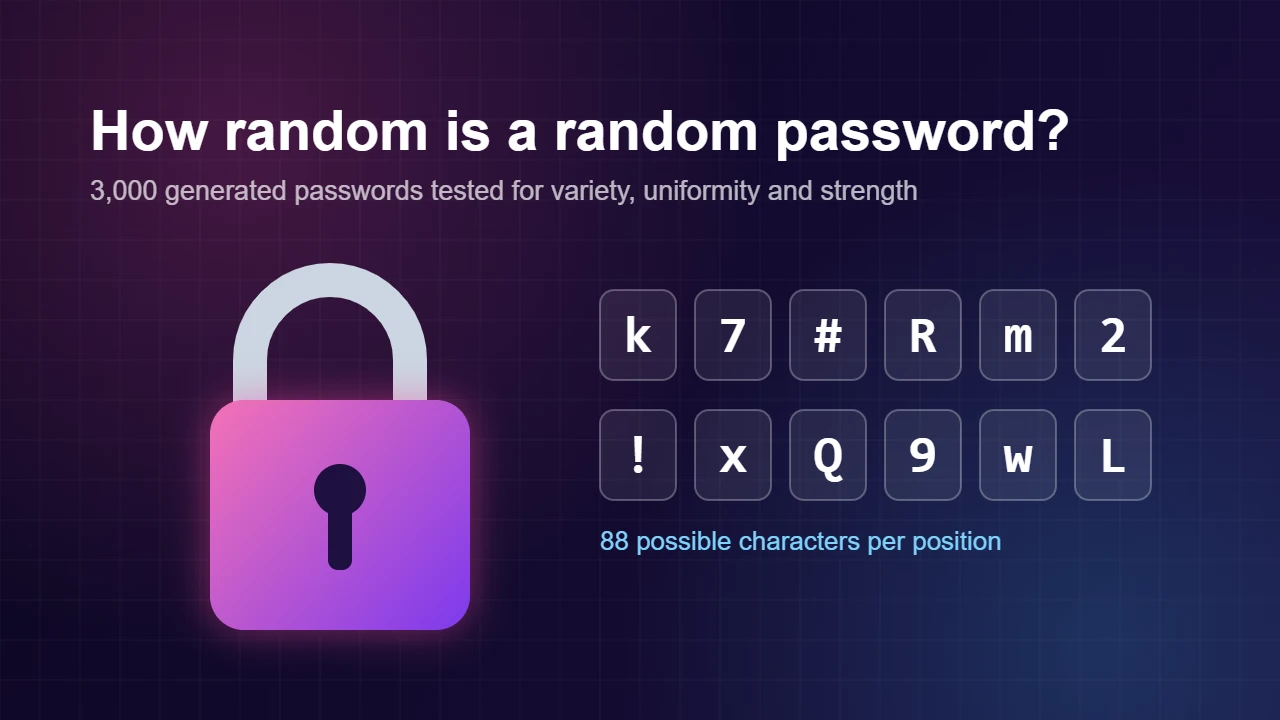
- It builds a pool of characters from the types you select: 26 uppercase letters, 26 lowercase letters, 10 digits and 26 symbols, which gives 88 characters when all four are on.
- It asks the browser for random numbers with
crypto.getRandomValues(). MDN describes this as a source of cryptographically strong random values (MDN Web Docs). - It uses each random number to pick one character from the pool. The 32-bit number is reduced with a modulo operation, which makes some characters a tiny bit more likely. For a pool of 88, 48 of the characters have one extra “slot” out of about 48.8 million, a relative difference of about two parts in 100 million. That is negligible.
- It checks that every selected type appears. If one is missing, it throws the password away and draws a new one, so every valid password remains equally likely.
The password is produced by JavaScript running in your browser. The generator’s code makes no network requests and does not use browser storage. Length can be set from 4 to 64 characters, with a default of 26.
A note on the strength label. The Weak to Very strong badge depends only on the length you choose: below 8 is Weak, 8 to 11 Fair, 12 to 15 Good, 16 to 19 Strong and 20 or more Very strong. It is a simple guide, not a measurement of entropy.
How we ran the test
- We set the length to 16, selected all four character types and turned both exclusion options off.
- A script pressed “Generate” 3,000 times and read each password from the output field, so we tested what a visitor sees.
- We checked length, the presence of each type and duplicates, and counted all 48,000 characters.
- We tested whether characters within each type appear equally often, using Pearson’s chi-square goodness-of-fit test (NIST/SEMATECH).
- We repeated a shorter run, 2,000 passwords, with both exclusion options on.
What we found
| Check | Result |
|---|---|
| Passwords with the right length (16) | 3,000 of 3,000 |
| Contain uppercase, lowercase, digit and symbol | 3,000 of 3,000 each |
| Duplicate passwords | 0 |
| Characters outside the selected pool | 0 |
| Uniformity within uppercase (25 df) | chi-square 19.23, p = 0.786 |
| Uniformity within lowercase (25 df) | chi-square 21.88, p = 0.643 |
| Uniformity within digits (9 df) | chi-square 5.95, p = 0.745 |
| Uniformity within symbols (25 df) | chi-square 30.16, p = 0.219 |
| Excluded characters found with both options on (2,000 passwords) | 0 |
Why digits appear more often
If every one of the 88 characters were drawn independently, digits would make up 10 of 88 characters, or 11.4%. We measured 13.4%. The reason is the variety guarantee. Digits are the smallest group, so a random 16-character draw contains no digit about 14.5% of the time, and lacks at least one of the four types about 15.6% of the time. Those draws are discarded and redrawn, so the passwords that remain contain slightly more digits than average.
We modelled this by simulating 1.5 million draws with the same rule. The model predicts 13.2% digits, and the tool gave 13.4%. The overall match across the four types is acceptable (chi-square 6.86, p = 0.077, an approximate test because characters inside a password are not fully independent).
What the guarantee costs in strength
Strength in bits of entropy is the base-2 logarithm of the number of equally likely passwords. For a 16-character password drawn from 88 characters, that is 16 × log₂(88) ≈ 103.35 bits. Throwing away the passwords that lack a type removes about 15.6% of the possibilities, which lowers the total to about 103.11 bits. The loss is 0.24 bits.
| Length | Entropy (bits) | Loss from the guarantee (bits) |
|---|---|---|
| 8 | 50.6 | 1.05 |
| 12 | 77.1 | 0.46 |
| 16 | 103.1 | 0.24 |
| 20 | 129.0 | 0.14 |
| 24 | 154.9 | 0.08 |
| 32 | 206.7 | 0.03 |
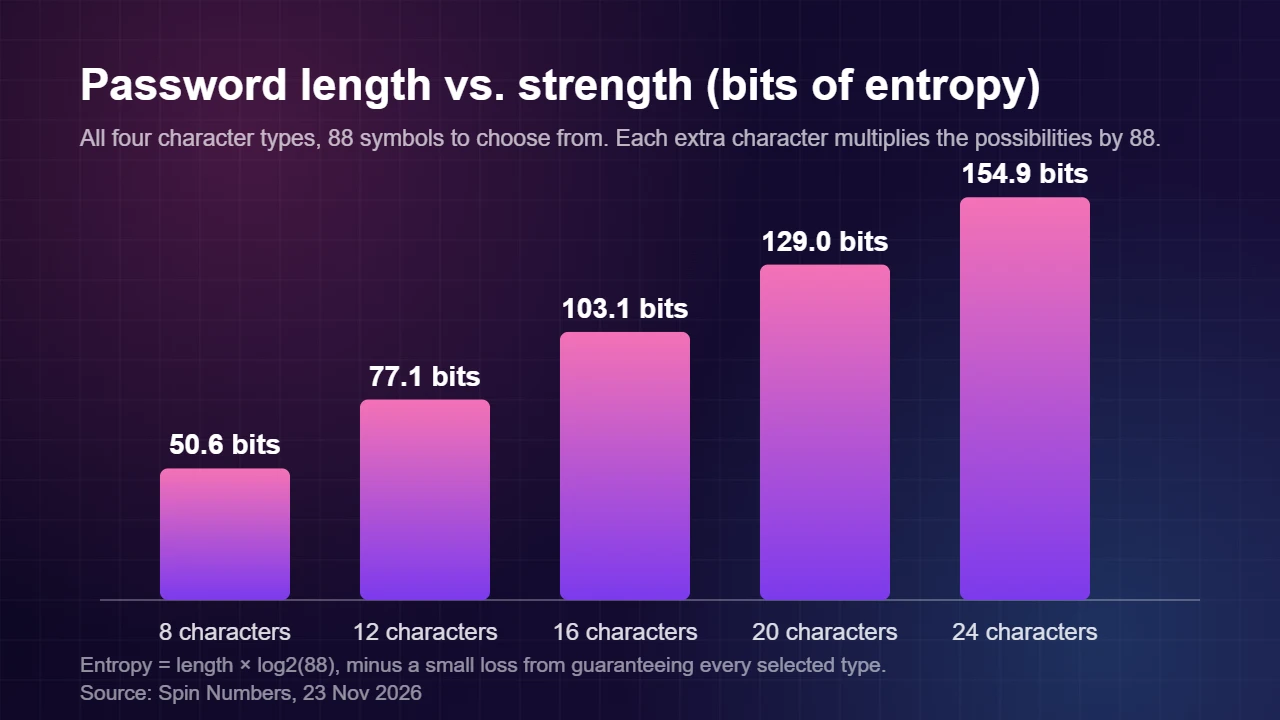
The cost is small, and it matters most for short passwords: about one bit at 8 characters, and almost nothing from 16 characters up.
How long should a password be?
NIST’s digital identity guidelines require services to set a minimum of 15 characters for passwords used as the only authentication factor. Passwords used only as part of multi-factor authentication may be shorter, but not under 8 characters. The same document says services should accept passwords of at least 64 characters and must not impose composition rules, such as requiring a mixture of character types (NIST SP 800-63B).
That second point explains why length matters more than complexity. Compare two options:
- 16 characters from letters and digits only (62 characters): about 95.3 bits.
- 16 characters from all 88 characters: about 103 bits, only about 8 bits more.
- 18 characters from letters and digits only: about 107.2 bits, which beats the 16-character password with symbols.
Our generator still offers the type switches because many websites do require them. If a site accepts long passwords without those rules, choose length first.
What the numbers mean in practice
To give a feeling for the scale, suppose an attacker could test 10 billion guesses per second and had to search the whole space. This is an illustration, not a prediction: real attack speeds vary enormously, depending mainly on how the service stores passwords.
| Length | Possibilities (about) | Time to search them all at 10 billion guesses per second |
|---|---|---|
| 8 | 1.7 × 10¹⁵ | 2 days |
| 12 | 1.6 × 10²³ | 500,000 years |
| 16 | 1.1 × 10³¹ | 30 trillion years |
The point is the shape of the curve. Each extra character multiplies the work by 88, which is why a few more characters move a password from “breakable” to “not realistically breakable by guessing”.
Limits of this test and of any generator
- We tested one tool, one browser and one session. We did not test other browsers or devices.
- A strong password can still be stolen. Phishing, malware and reuse across sites are not solved by randomness. Use a different password for every account.
- Where you keep the password matters. A password manager is the practical way to store long random passwords, and multi-factor authentication adds a second barrier.
- Copied passwords stay on the clipboard until something replaces them.
- The strength label is length-based. Our Password Strength Checker estimates strength from length and character types, as if the characters had been chosen at random, so it cannot spot predictable passwords. In our own testing it labelled “Password1!” Weak while showing a crack time of “Centuries”. When the label and the estimate disagree, trust the more cautious one.
Frequently asked questions
Is it safe to generate passwords in a browser tool?
The password is created locally by your browser’s cryptographic random number generator, and this tool’s code sends nothing over the network. Even so, only use it on a device you trust and on a page you opened yourself.
Should I include symbols?
Symbols add about 0.5 bits per character compared with letters and digits only. That helps, but adding length helps more. Use symbols when the site allows them, and make the password longer anyway.
Why does the tool sometimes produce passwords with several digits in a row?
Because choices are independent, runs happen. Random data often looks less “mixed” than people expect, a point we explain in why humans are bad at being random. For the difference between this kind of generator and the one behind our dice, see pseudo-random versus true random.
References
NIST. (n.d.). NIST Special Publication 800-63B: Digital Identity Guidelines. National Institute of Standards and Technology. https://pages.nist.gov/800-63-4/sp800-63b.html
MDN Web Docs. (n.d.). Crypto: getRandomValues() method. Mozilla. https://developer.mozilla.org/en-US/docs/Web/API/Crypto/getRandomValues
NIST/SEMATECH. (n.d.). 1.3.5.15. Chi-square goodness-of-fit test. e-Handbook of Statistical Methods. https://www.itl.nist.gov/div898/handbook/eda/section3/eda35f.htm