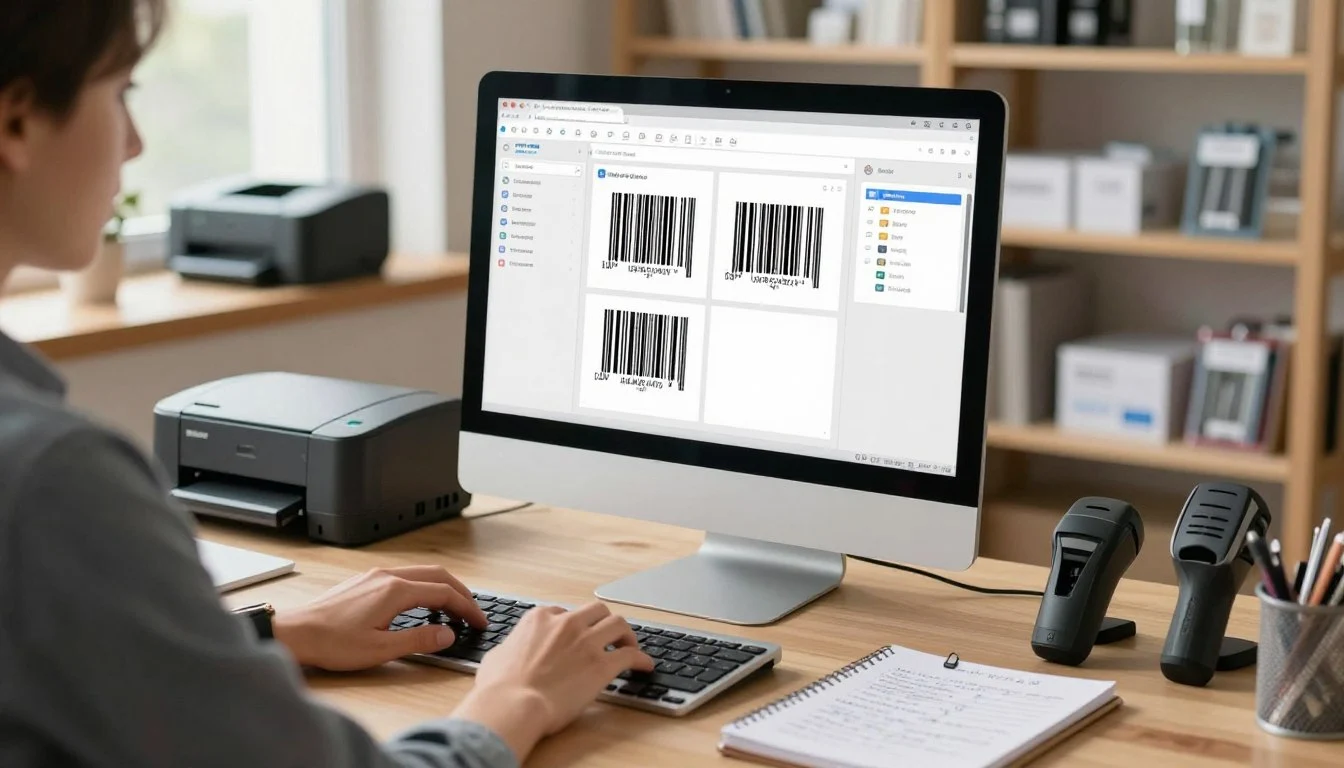
You have a great product, maybe it’s handmade soap, a new gadget, or a line of organic snacks. You’ve designed the packaging, set up your online store, and you’re ready to start selling. But then you realize: you need a barcode. Suddenly, you’re faced with terms like CODE128, EAN-13, and UPC, and it all feels overwhelming. Where do you even begin?
The good news is that creating a barcode for your product is much simpler than it seems. With the right tools and a little guidance, you can generate professional, scannable barcodes in minutes. This comprehensive guide will walk you through everything you need to know—from understanding different barcode types to generating and using them effectively. Whether you’re a small business owner, an entrepreneur, or just curious about how barcodes work, you’ll find everything you need right here.
What Is a Barcode and Why Does Your Product Need One?
A barcode is a machine-readable representation of data—usually a product number or identifier—that can be scanned by optical devices like barcode readers or smartphone cameras. Those familiar black-and-white stripes you see on virtually every product in stores? Those are barcodes. They encode information that helps retailers track inventory, manage pricing, and speed up the checkout process.
If you’re selling products in physical retail stores, through marketplaces like Amazon, or even in your own shop, a barcode is essential. It streamlines operations, reduces human error, and gives your products a professional, legitimate appearance. Even if you’re selling exclusively online, having a barcode can help you integrate with inventory management systems and prepare for future growth.

Understanding Different Barcode Types: Which One Do You Need?
Not all barcodes are the same. Different types serve different purposes. Choosing the right one depends on where and how you’ll be selling your products. Here are the most common barcode formats you’ll encounter.
CODE128 – The Versatile All-Rounder
CODE128 is one of the most flexible barcode formats. It can encode alphanumeric data—meaning letters, numbers, and some special characters. This makes it ideal for internal inventory systems, shipping labels, and any application where you need to encode a custom product code, serial number, or SKU. If you’re creating barcodes for internal use or for products that don’t require a standardized retail barcode, CODE128 is an excellent choice.
Best for: Inventory management, internal tracking, shipping labels, custom product codes.
EAN-13 – The European Retail Standard
EAN-13 (European Article Number) is the standard barcode format for retail products sold internationally, especially in Europe. It consists of 13 digits and is used to identify specific products globally. If you’re planning to sell your products in physical stores or through international retailers, you’ll likely need an EAN-13 barcode. The first few digits indicate the country or region of the issuing organization.
Best for: Retail products sold in Europe, international distribution, brick-and-mortar stores.
UPC-A – The North American Retail Standard
UPC-A (Universal Product Code) is the standard barcode format in the United States and Canada. It consists of 12 digits and is used for retail products just like EAN-13. If you’re selling in North American stores or marketplaces like Amazon.com, you’ll need UPC barcodes. Many retailers require products to have UPC codes to be listed in their systems.
Best for: Retail products sold in the US and Canada, Amazon listings, North American distribution.
QR Code – The Digital Bridge
QR codes (Quick Response codes) are two-dimensional barcodes that can store much more information than traditional linear barcodes. They can link to websites, display text, share contact information, and more. While not typically used for retail point-of-sale, QR codes are excellent for marketing, product information, and connecting physical products to digital experiences.
Best for: Marketing campaigns, product information pages, contactless menus, digital connections.
For beginners, the choice often comes down to where you’re selling. If you’re starting with internal tracking or selling on your own website, CODE128 is a great starting point. If you’re entering retail, you’ll need EAN-13 or UPC-A depending on your target market.
Step-by-Step Guide: How to Create a Barcode for Your Product
Now that you understand the different barcode types, let’s walk through the process of actually creating one. The steps below apply to most barcode generators, including the Spin Numbers Barcode Generator.
Step 1: Select Your Barcode Type
Choose the barcode format that matches your needs. If you’re creating a barcode for a retail product in North America, select UPC-A. For Europe or international retail, choose EAN-13. For internal tracking or custom codes, CODE128 is ideal. For marketing purposes, QR code might be your best bet.
Step 2: Enter Your Data
This is the information your barcode will encode. For CODE128, you can enter alphanumeric data like product codes or serial numbers (e.g., “PROD-001” or “SN123456”). For EAN-13 and UPC-A, you’ll need a valid 13-digit or 12-digit number. If you’re just testing or creating a sample, you can use placeholder data like “123456789012” for UPC-A.
Important: For retail barcodes (EAN-13 and UPC-A), you must obtain official numbers from GS1 or an authorized reseller. Using random numbers can cause conflicts with existing products and may violate retailer requirements. For CODE128, you can use any data you like—it’s for your internal use only.
Step 3: Customize Appearance
Most barcode generators let you adjust the visual appearance of your barcode:
- Width: This typically controls the width of the barcode’s narrowest bar. A width setting of 1 to 3 is usually sufficient for most applications. Wider settings produce larger barcodes that are easier to scan from a distance.
- Height: The vertical size of the barcode. A height of at least 80 pixels (or about 0.5 to 1 inch) is recommended for reliable scanning. Taller barcodes are generally easier to scan, especially at retail checkout counters.
- Display Text: Many barcode generators offer an option to show the human-readable text below the barcode. This is useful for manual entry or verification. For retail barcodes, displaying the numbers is standard practice.
Step 4: Generate Your Barcode
Click the generate button. The tool will create your barcode image based on your selections. You’ll see a preview of how it looks. Take a moment to verify that the text matches what you entered and that the barcode appears clean and clear.
Step 5: Download Your Barcode
Once you’re satisfied with the preview, download your barcode in your preferred format. Most tools offer PNG (raster image) and SVG (vector format) options:
- PNG: Best for digital use, websites, and quick printing. It’s a standard image format that works everywhere.
- SVG: Best for professional printing and scaling. SVG files can be resized without losing quality, making them ideal for packaging design and high-resolution printing.
For a reliable, easy-to-use tool that handles all these steps, the Spin Numbers Barcode Generator supports CODE128, EAN-13, UPC-A, and QR code formats. You can customize width, height, and text display, then download your barcode as PNG or SVG—all without any sign-up or installation.
👉 Try the Spin Numbers Barcode Generator here and create professional barcodes in seconds.
Real-Life Examples: Creating Barcodes for Different Scenarios
Let’s look at how different businesses might use barcode generators in practice.
Example 1: Small Batch Soap Maker
Emma makes handmade organic soaps and sells them at local craft fairs and on her Etsy shop. She doesn’t need retail-standard barcodes yet, but she wants to track inventory. She uses the Spin Numbers Barcode Generator to create CODE128 barcodes for each soap variety, encoding codes like “LAVENDER-01” and “OATMEAL-02”. She prints them on adhesive labels and uses a free inventory app on her phone to scan and track stock levels. This simple system saves her hours of manual counting each week.
Example 2: Tech Startup Launching a Gadget
A tech startup is launching a new smart home device. They plan to sell through Amazon and major retailers. They purchase official UPC codes from GS1, then use the barcode generator to create high-quality UPC-A barcodes. They download the SVG format to incorporate into their product packaging design, ensuring the barcode is crisp and scannable at any size.
Example 3: Bakery Expanding to Grocery Stores
A local bakery is expanding into regional grocery chains. The stores require EAN-13 barcodes for all products. The bakery obtains official EAN-13 numbers, then uses the barcode generator to create barcodes with display text enabled. They test the barcodes by scanning them with a smartphone app to confirm readability before sending the packaging design to the printer.
Example 4: Marketing Campaign with QR Codes
A winery wants to add QR codes to their wine bottles that link to a video about the vineyard. They use the QR code option in the barcode generator, entering the URL of their promotional video. The tool generates a scannable QR code that they incorporate into their label design. Customers can scan it with their phones to learn more about the wine’s origin.
Common Mistakes When Creating Barcodes
Even with a good generator, mistakes can happen. Here are the most common pitfalls and how to avoid them.
Mistake 1: Using Incorrect Data Length
Each barcode type has strict length requirements. EAN-13 requires exactly 13 digits. UPC-A requires exactly 12 digits. CODE128 can handle variable lengths, but if you’re creating a retail barcode, your data length must be correct. Double-check your numbers before generating.
Mistake 2: Creating Barcodes That Are Too Small
A barcode that’s too narrow or short may not scan reliably. For retail products, aim for a minimum height of 0.5 inches (about 80 pixels) and a width that matches standard specifications. If you’re designing packaging, test your barcode by scanning it with a phone app before final printing.
Mistake 3: Using Unverified Numbers for Retail
For EAN-13 and UPC-A barcodes, you must use numbers that you’ve officially obtained. Using randomly generated numbers can cause conflicts with existing products. Retailers and marketplaces will reject products with invalid or duplicate barcodes.
Mistake 4: Poor Print Quality
Even a perfectly generated barcode can fail if it’s printed poorly. Ensure your barcode is printed clearly, with high contrast (black bars on a white background). Avoid printing on reflective or textured surfaces. If you’re printing on packaging, use a professional printer and test a sample before mass production.
Best Practices for Using Barcodes
Follow these best practices to ensure your barcodes are effective and professional.
Always Test Your Barcodes
Before printing hundreds of labels or packaging, test your barcode with multiple devices. Use a smartphone barcode scanner app, and if possible, test with the actual scanners that will be used in stores or warehouses. A barcode that fails to scan can cause major headaches at checkout.
Maintain High Contrast
Barcodes should be black bars on a white background. Avoid colored bars, gradients, or placing barcodes over busy patterns. If your packaging design requires a color, dark bars on a light background (like dark blue on pale yellow) may work, but black and white is always the safest choice.
Include Quiet Zones
A “quiet zone” is the blank space around the barcode. It should be at least 10 times the width of the narrowest bar on each side. Without adequate quiet zones, scanners may struggle to read the barcode. When designing packaging, ensure there’s enough clear space around your barcode.
Save Your Barcode Files Properly
Keep both the original generation data and the final image files. If you need to recreate a barcode later, having the original data ensures consistency. For retail barcodes, store your official numbers in a secure spreadsheet for future reference.
Security and Privacy Considerations When Using Barcode Generators
Barcode generators are generally safe tools, but it’s wise to be mindful of a few points.
No Personal Data Required
A reputable barcode generator should not ask for personal information. The Spin Numbers Barcode Generator works entirely in your browser—you don’t need to sign up, provide an email, or create an account. All generation happens locally, protecting your privacy.
Data Privacy for Proprietary Information
If you’re generating barcodes for new products or sensitive inventory codes, use a tool that doesn’t transmit your data to external servers. Browser-based generators that process everything client-side are the safest option.
HTTPS Security
When using any online tool, ensure the website uses HTTPS (look for the padlock icon). This encrypts your connection and protects any data you enter.
Understanding Barcode Numbers: GS1 and Official Registration
For retail barcodes (EAN-13 and UPC-A), the numbers themselves are not something you can simply make up. They must be obtained through GS1, the global organization that manages barcode standards. Here’s what you need to know.
What Is GS1?
GS1 is a non-profit organization that develops and maintains global standards for barcodes. They assign unique company prefixes to businesses, which form the first part of your product barcodes. When you purchase a GS1 prefix, you can generate unique numbers for each of your products.
How to Get Official Barcode Numbers
To obtain official barcodes for retail products:
- Visit the GS1 website for your country (gs1us.org for the US, gs1.org for international)
- Purchase a company prefix based on the number of products you need
- Once you have your prefix, you can assign unique numbers to each product
- Use a barcode generator to create the actual barcode images
There are also authorized resellers who offer individual barcodes for smaller businesses. If you go this route, ensure they are legitimate and that the numbers you receive are properly registered.
FAQs About Barcode Creation
1. Can I create a barcode for free?
Yes, you can generate barcode images for free using tools like the Spin Numbers Barcode Generator. However, if you need official retail barcodes (EAN-13 or UPC-A), you must purchase the numbers from GS1 or an authorized reseller. The generation is free; the numbers themselves are not.
2. What’s the difference between CODE128 and UPC-A?
CODE128 is a flexible format that can encode alphanumeric data (letters and numbers) and is typically used for internal tracking. UPC-A is a retail standard that encodes 12 numeric digits and is required for products sold in North American stores. Choose CODE128 for internal use; choose UPC-A for retail sales.
3. Do I need a barcode if I only sell online?
Not necessarily. If you sell exclusively through your own website, you don’t need barcodes for checkout. However, barcodes are still useful for inventory management, and if you ever expand to marketplaces like Amazon or physical retail, you’ll need them.
4. How do I know if my barcode will scan?
After generating your barcode, test it with a smartphone barcode scanner app. If it scans correctly on your phone, it will likely work with retail scanners. For professional use, consider having a sample professionally tested or use a verification service.
5. Can I use the same barcode for different products?
No. Each product variation (different size, color, flavor) should have a unique barcode. Using the same barcode for multiple products will cause inventory and checkout problems. Assign a unique number to each distinct product.
6. What image format should I download for printing?
For professional printing, SVG (vector format) is best because it scales to any size without losing quality. For simple label printing, PNG (high-resolution) works well. Always ensure your printer settings maintain the barcode’s clarity and sharpness.
7. Can I generate QR codes with the same tool?
Many barcode generators, including the Spin Numbers Barcode Generator, support QR codes alongside linear barcodes. QR codes are excellent for linking to websites, displaying product information, or connecting customers to digital content.
8. Are online barcode generators safe to use?
Yes, reputable barcode generators are safe. The Spin Numbers Barcode Generator processes everything in your browser without storing any data. Always use HTTPS websites and avoid tools that ask for unnecessary personal information.
Conclusion: Take Control of Your Product Labeling
Creating a barcode for your product doesn’t have to be intimidating. With a clear understanding of the different barcode types and a reliable generator, you can produce professional, scannable barcodes in minutes. Whether you’re tracking inventory with CODE128, preparing for retail with UPC-A or EAN-13, or engaging customers with QR codes, the process is straightforward and accessible.
Start by identifying where and how you’ll be selling. Choose the appropriate barcode format. Obtain the necessary numbers if you’re entering retail. Then use a tool like the Spin Numbers Barcode Generator to bring your barcode to life. Test it, refine it, and incorporate it into your packaging with confidence.
Barcodes are more than just lines on a package—they’re the bridge between your product and the systems that help it reach customers. By mastering the basics of barcode creation, you’re taking an important step toward professional, efficient, and scalable product management. So go ahead—create that barcode, label your product, and get ready to share it with the world.