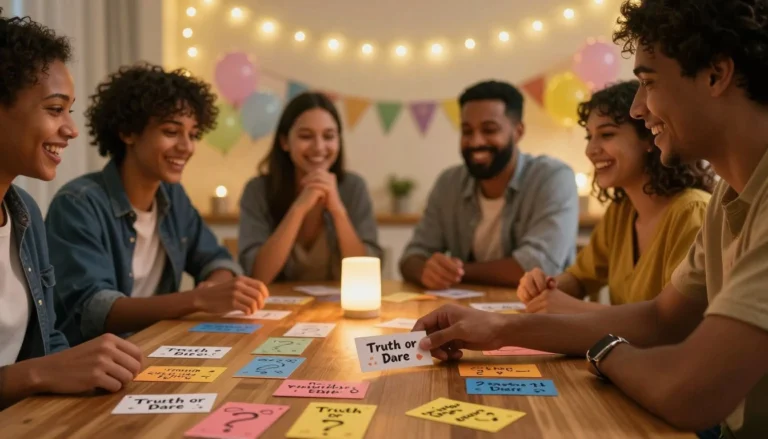

You have a group of people ready for an activity. Maybe it is a sports game, a classroom project, a corporate team building exercise, or a friendly trivia night. The only problem is figuring out how to divide everyone into fair, balanced teams. If you have ever witnessed the awkwardness of picking teams in front of everyone, you know exactly what this feels like. People get chosen last, friendships create imbalances, and the process can take longer than the activity itself.
The solution is simpler than you might think. Making random teams removes bias, saves time, and ensures everyone feels included. Whether you are a teacher, coach, event organizer, or just someone hosting a game night, this guide will show you how to create fair teams quickly and easily. You will learn different methods for team formation, step by step instructions, real world examples, and best practices to avoid common pitfalls.
Stop the manual struggle and ensure 100% fairness.
Launch the Free Team Generator Tool →Why Make Random Teams?
The traditional method of picking teams often involves captains choosing players one by one. While this may seem natural, it creates several problems. The last people picked feel embarrassed or excluded. Friends tend to cluster together, creating unbalanced teams. And the selection process can take several minutes, eating into the time meant for the actual activity.
Making random teams solves all these problems. When teams are assigned randomly, no one feels singled out. The process is fast, usually taking only a few seconds. And randomness tends to create balanced groups because strong players and weaker players are distributed evenly across teams. Random team assignment also encourages new connections, as people who might not normally work together end up on the same team.
Different Methods for Creating Random Teams
There are several ways to create random teams, ranging from simple manual methods to sophisticated digital tools. Here is an overview of the most common approaches.
Manual Methods
For small groups, you can use simple manual methods. Write each person’s name on a slip of paper, fold the papers, and draw them one by one into piles representing each team. This works well for groups of up to 12 people. Another manual method is to count off, assigning each person a number and then grouping numbers together. While these methods work, they can be time consuming and require preparation.
Digital Random Team Generators
For larger groups or when you want instant results, a digital tool is the best option. A random team generator allows you to enter names, specify how many teams you want, and instantly receive balanced groups. The tool handles the randomization, ensuring fairness and saving you time. Many generators also allow you to exclude specific names from being paired together or to assign certain people as team captains.
The Spin Numbers Make Random Teams tool is designed for exactly this purpose. You can enter names, choose the number of teams, and generate balanced random teams instantly. It is fast, fair, and requires no sign up.
👉 Try the Spin Numbers Random Team Generator here and create fair teams in seconds.

Step-by-Step Guide: How to Make Random Teams
Whether you use a manual method or a digital tool, the process follows similar steps. Here is a step by step guide that works for most situations.
Step 1: Gather Your List of Participants
Start by writing down the names of everyone who will be participating. Make sure you have an accurate list. If you are using a digital tool, you can type the names directly into the input field. Some tools allow you to copy and paste a list from a spreadsheet or document, which is especially useful for larger groups.
Step 2: Decide How Many Teams You Need
Determine the number of teams you want to create. This depends on your activity. For a basketball game, you might want two teams. For a classroom project, you might want four or five teams. For a trivia night, you might want teams of three or four people each. The number of teams should make sense for your activity and group size.
Step 3: Consider Team Size Balance
If your group size does not divide evenly into teams, some teams will have one extra person. This is usually fine, but you may want to decide in advance whether to have a few larger teams or to create a floating participant who rotates. A good random team generator handles uneven group sizes automatically, distributing people as evenly as possible.
Step 4: Generate Your Teams
If you are using a manual method, draw names one by one and assign them to teams in order. If you are using a digital tool, enter your names and the number of teams, then click generate. The tool will instantly display your teams.
Step 5: Review and Make Adjustments if Needed
Look over the teams to ensure they are balanced. If you notice that a particular skill level is concentrated in one team, you might want to adjust slightly. Most random team generators allow you to regenerate or shuffle teams until you are satisfied.
Step 6: Announce the Teams
Share the teams with your group. You can display the results on a screen, read them aloud, or share a link. The Spin Numbers Make Random Teams tool allows you to copy the results easily, making announcement simple.
Real-Life Examples: Making Random Teams in Different Contexts
Random team generation is useful in many settings. Here are real world examples that show how different groups benefit from this approach.
Example 1: Elementary School Classroom
Mrs. Chen teaches a class of 28 students. She wants to divide them into groups of four for a science project. Instead of letting students choose their own groups, which often results in friends clustering together and some students being left out, she uses a random team generator. The tool creates seven balanced groups. Students get to work with classmates they might not normally choose, and everyone feels included from the start.
Example 2: Corporate Team Building Event
A company is hosting an off site team building day with 45 employees. They want to mix departments so people from different areas can work together. The event organizer uses a random team generator to create 9 teams of 5 people each. The generator ensures each team has a mix of departments. Participants appreciate the fairness of the random assignment, and the event helps build cross departmental connections.
Example 3: Recreational Soccer League
A local recreation center runs a weekend soccer league for adults. Players sign up individually, and the organizers need to create balanced teams each week. They use a random team generator to assign players to teams based on their self reported skill levels. The generator ensures each team has a mix of experienced and beginner players, keeping games competitive and fun for everyone.
Example 4: Game Night with Friends
A group of 12 friends gathers for a board game night. They want to play a team based game that requires three teams of four. Instead of spending ten minutes arguing over who should be on which team, one friend pulls out a random team generator on their phone. They enter all the names, set the number of teams to three, and generate. Within seconds, the teams are set, and the game begins.
Example 5: Youth Sports Camp
A summer sports camp has 32 campers. For a tournament, the counselors need to create eight teams of four. They use a random team generator that allows them to input skill levels for each camper. The tool creates balanced teams where each team has a mix of skill levels. The tournament is fair, and campers enjoy playing with new friends.
Advanced Features for Random Team Generation
While basic random team generation works for many situations, some scenarios require more advanced features. Here are some capabilities to look for in a random team generator.
Skill Level Balancing
For competitive activities, you may want to balance teams based on skill levels. A good generator allows you to assign a skill rating to each person and then creates teams where the average skill level is similar across all teams. This ensures games are competitive and fair.
Excluding Specific Pairings
Sometimes you need to ensure certain people are not placed on the same team. This might be because they have a conflict, because they work together too often, or because they are both strong players who would unbalance a team. Advanced generators allow you to specify exclusions, ensuring those individuals are placed on different teams.
Designating Team Captains
For some activities, you may want specific people to serve as team captains. A generator can lock those individuals as leaders of their respective teams and then randomly assign the remaining participants to fill out the teams.
Saving and Reusing Groups
If you run recurring events with the same participants, a generator that saves team configurations can be helpful. You can quickly recreate previous groupings or ensure that participants are mixed differently each time.
Common Mistakes When Making Random Teams
Even with a good tool, there are common pitfalls to avoid. Here are the most frequent mistakes and how to prevent them.
Mistake 1: Forgetting to Include Everyone
It is easy to miss a name when creating your list, especially with larger groups. Double check that you have included every participant before generating teams. A missing person can cause confusion and delays.
Mistake 2: Not Accounting for Special Needs
Some participants may have physical limitations or other considerations that affect team placement. For example, a player with a mobility issue might need to be placed on a team that can accommodate their needs. Always consider these factors before finalizing teams.
Mistake 3: Overlooking Skill Imbalances
Random teams are usually balanced, but if you have a few very strong participants, they may all end up on the same team by chance. If your activity is competitive, consider using a generator that balances by skill level or manually adjust after generation.
Mistake 4: Not Communicating the Process
If participants are used to picking teams, they may be surprised by random assignment. Explain the process beforehand so everyone understands that teams will be created fairly and randomly. This sets expectations and reduces any resistance.
Best Practices for Random Team Creation
Follow these best practices to ensure your random team creation process is smooth and well received.
Be Transparent About the Process
Let participants know that teams will be created randomly. This removes any suspicion of favoritism and helps everyone accept the results. If you are using a digital tool, you can even show the screen so everyone sees the randomization happening.
Consider Team Size Limits
Think about the optimal team size for your activity. Too many people on a team can make coordination difficult. Too few can make the activity less engaging. Balance the number of teams with the size of each team to create the best experience.
Allow for Minor Adjustments
After generating teams, you may notice a minor imbalance or a pairing that does not work well. It is okay to make small manual adjustments as long as you communicate the changes and remain fair to all participants.
Use the Right Tool for Your Group Size
A simple manual method works for small groups. For larger groups, a digital random team generator saves significant time and ensures accuracy. Choose the approach that matches your needs.
Security and Privacy Considerations
When using an online random team generator, privacy is important, especially if you are entering names of participants.
No Personal Data Required
A good random team generator does not require personal information. You do not need to sign up, create an account, or provide an email address. The Spin Numbers Make Random Teams tool works instantly without any data collection. Names you enter are processed locally and are not stored.
Use HTTPS for Secure Connections
Look for the padlock icon in your browser when using any online tool. This ensures your connection is secure, protecting any information you enter.
Local Processing for Privacy
Reputable random team generators process data locally in your browser. No names or team assignments are sent to servers where they could be intercepted or stored. Your group’s information remains private.
Creating Teams for Different Activities
Different activities require different team structures. Here is how to adapt random team creation for various purposes.
Sports and Physical Activities
For sports, consider skill levels when creating teams. You may also want to ensure that positions or roles are distributed fairly. A random team generator that allows skill balancing is ideal for sports leagues and tournaments.
Classroom Projects
For classroom activities, random teams encourage students to work with different classmates. This builds collaboration skills and prevents cliques. Teachers can use random team generators to create groups for projects, discussions, and activities.
Corporate Workshops
In corporate settings, random teams help break down silos and encourage cross departmental interaction. Teams can be created with the goal of mixing different job functions, seniority levels, or office locations.
Game Nights and Social Events
For casual social events, the goal is simply to create groups that can enjoy the activity together. Random teams work well for trivia, board games, and party games. The randomness adds to the fun and ensures no one feels left out.
FAQs About Making Random Teams
1. What is the best way to create random teams for a large group?
For large groups, a digital random team generator is the most efficient method. Tools like the Spin Numbers Make Random Teams tool allow you to enter names and specify the number of teams, generating balanced groups instantly. This saves time and ensures fairness.
2. Can I ensure teams are balanced by skill level?
Yes, some advanced random team generators allow you to assign skill levels to each participant and then create teams with similar average skill levels. If your generator does not have this feature, you can manually adjust after generating random teams.
3. How do I handle uneven group sizes when creating teams?
Most random team generators handle uneven group sizes by distributing the extra participants across teams as evenly as possible. For example, with 11 people and 3 teams, you might end up with teams of 4, 4, and 3. This is usually acceptable for most activities.
4. Can I exclude certain people from being on the same team?
Yes, advanced random team generators offer exclusion features that prevent specific individuals from being placed on the same team. This is useful for separating people who have conflicts or for ensuring strong players are distributed across teams.
5. Is it fair to make random teams for competitive games?
Random teams are fair in that they remove bias. However, for highly competitive games, you may want to balance by skill level as well. Randomness plus skill balancing creates the fairest possible teams.
6. Can I use a random team generator on my phone?
Yes, most random team generators work on mobile devices through your phone’s browser. The Spin Numbers Make Random Teams tool is designed to be responsive, so you can create teams from any device.
7. What should I do if the teams generated seem unbalanced?
If the teams appear unbalanced, you can either regenerate for a new random set or make small manual adjustments. Most tools allow you to shuffle teams until you are satisfied with the balance.
8. Are online random team generators safe to use?
Yes, reputable random team generators are safe. The Spin Numbers Make Random Teams tool processes all data locally in your browser. No names or team assignments are stored or transmitted to servers. Always look for HTTPS websites for added security.
Conclusion: Make Team Formation Simple and Fair
Creating teams should be one of the easiest parts of organizing an activity, not the most stressful. By using a random approach, you eliminate bias, save time, and ensure everyone feels included. Whether you are a teacher managing a classroom, a coach running a sports practice, or a friend hosting a game night, making random teams sets the stage for a positive experience.
The Spin Numbers Make Random Teams tool puts this power in your hands. You can enter names, choose how many teams you need, and generate balanced random teams instantly. No sign up, no complicated setup, no waiting. Just fair, fast team creation that lets you focus on the activity itself.
Next time you need to divide a group into teams, skip the awkward selection process. Use a random team generator, announce the results, and watch as your participants engage with new teammates and enjoy the activity. Fair teams lead to better games, stronger collaboration, and more fun for everyone involved.