By Spin Numbers · June 2026
A spinner wheel does one thing well: it removes human bias from a selection and replaces it with a result that everyone can see happen in real time. For teachers, that means participation without favoritism. For streamers, it means audience engagement that feels spontaneous rather than staged.
Try it before you read on
Set any range, spin, and get a fair result. Runs in your browser, nothing to install.
This guide covers what separates a useful spinner wheel from a frustrating one, which features matter based on how you plan to use it, and how to get results that work consistently in classrooms and live broadcasts.
Table of Contents
What Actually Makes a Spinner Wheel Work
The visual spinning animation is what you see. What determines whether the result is genuinely fair is the random number generator underneath it.
A properly built spinner wheel generates its outcome before the animation even begins, using a seed drawn from unpredictable system inputs such as the current time in milliseconds or device movement data. The spin you watch is a display of a decision already made. This is why holding the button longer or clicking at a precise moment has no effect on the result.
Features that matter in everyday use
Not all features marketed on spinner wheel tools are worth evaluating. The ones that actually determine whether a tool works in a real session are these:
Remove-after-selection mode. For draws where each participant should appear only once, you need a tool that removes an entry after it is selected. For classroom participation, you may want names to stay in the pool so every student remains on alert. Know which you need before choosing a tool.If you don’t need a visual wheel but require pure, instant data, you can use our online random number generator to pick numbers or entries without any animation friction.
No account required for basic use. Tools that require registration before you can spin create friction during lessons and live streams. The best options let you build a list and spin immediately, with account creation as an optional feature for saving lists across sessions.
OBS browser source compatibility. For streamers, this is the most important technical feature. A wheel needs to support a transparent background to sit cleanly over game footage as an overlay. Test any tool in OBS before using it in a live broadcast.
Mobile and tablet performance. For teachers using a smartboard or tablet, test the tool on your actual device before the lesson. Touch target size and scroll behavior vary significantly between tools, and a wheel that works well on a laptop can be unreliable on a tablet.
No disruptive ads during a live session. Some free tools display video interstitials or banner ads that fire during or between spins. This is disruptive in a classroom and unprofessional on a broadcast. Check ad behavior before using any free tool in a real session.
Spinner Wheel Tools: Specific Options
The article cannot be complete without naming what to actually open. Here are four tools with honest assessments.
Wheelofnames.com — Free, no account required, browser-based. Handles name lists and custom segments. Supports sharing via URL so a co-teacher or collaborator can access the same wheel. Limitation: no native OBS integration; requires screen sharing or manual browser source setup. The fastest starting point for first-time users.
Pickerwheel.com — Similar functionality to Wheelofnames with additional sorting and elimination modes built in. Slightly cleaner mobile interface. Also free with no required login.
Spin the Wheel App (spinthewheel.app) — Better visual design for on-screen use. Supports transparent backgrounds, making it more suitable for OBS overlay use. The free tier covers most classroom and streaming use cases.
Triggerfyre — Purpose-built for streaming integration. Connects to Twitch channel point redemptions and chat triggers. Allows segment-specific sound alerts to fire automatically when the wheel lands. Requires a Twitch connection and has a paid tier for advanced features. The best option for streamers who want automated integration rather than manual management.
How Teachers Use Spinner Wheels Effectively
The most common classroom use for a spinner wheel is student selection during question and answer sessions. Instead of waiting for raised hands, the teacher spins after asking a question. The class stays attentive because any name could come up.
Doug Lemov, in “Teach Like a Champion,” identifies cold calling as one of the highest-impact participation strategies available to teachers. The technique name he uses for the approach is “Cold Call.” The challenge has always been making it feel fair rather than targeted. A visible random wheel addresses this directly. When students can see the spin happen in real time, the selection feels like chance rather than judgment.
Classroom applications that work consistently
Question and answer sessions
Load student names before the lesson begins. Spin after each question. For questions that require more thought, spin first to identify the student, then pose the question. This gives the selected student a moment to think while you finish asking it, which improves answer quality and reduces pressure.
Group formation
Random group assignment prevents the social clustering that happens when students choose for themselves. Spin for the first group, remove those names, spin again for the second group, and repeat until all groups are filled. For classes that do not divide evenly into equal groups, decide the group size structure in advance and apply it consistently.
One real complication: random groups sometimes produce combinations with poor working dynamics, particularly at the secondary level. Address this by establishing group norms in the first week of term and by rotating groups frequently enough that no difficult combination is permanent.
Classroom job rotation
Weekly classroom jobs assigned through informal processes tend to create the same inequity as hand-raising. A weekly wheel spin assigns jobs visibly and eliminates the negotiation that typically surrounds them. Post the result so students can reference it without asking.
Presentation slot and topic assignment
When some presentation slots or research topics are more desirable than others, visible random assignment removes any suspicion that the teacher chose who got what. Spin once to assign slots or topics, display the result, and move on.
Reward draws
For point-based reward systems, a spinner wheel draw at the end of the week turns the selection into a shared moment. Display it on a projector so the whole class watches together. For more ways to energize your students, check out our full guide on interactive classroom games that require zero setup.
Getting the most out of it in the classroom
Keep the wheel visible to everyone. If only the teacher sees the result, the process loses the shared anticipation that makes it more engaging than simply announcing a name. Display it on a projector or classroom screen during every spin.
Build your list before students arrive. Entering twenty-five names while students wait disrupts lesson flow. Create the list once at the start of term and return to it each session. Save it via URL or account if your tool supports it.
Decide in advance what happens when an absent student is selected. Announce this rule once at the start of term. Options include spinning again immediately, holding the turn for when they return, or moving to the next name on the next spin. The specific rule matters less than applying it consistently.
Consider assigning a student as the wheel operator. When a student controls the spin rather than the teacher, the class tends to accept the outcome more readily. It shifts the dynamic from teacher-imposed selection to shared random decision.
Reserve the wheel for moments where visible randomness adds value. Participation selection, group formation, and draws are the right moments. For quick informal interactions where speed matters more than fairness, other methods work better. The engagement value of a spinning wheel depends partly on its not being constant.
Addressing cold-calling anxiety
This is the most important welfare concern about spinner wheels in classrooms, and it deserves a real answer.
The visible randomness of a spinner wheel reduces one specific anxiety: the fear of being singled out. When students can watch the spin happen and see that it landed on them by chance, the selection feels like a rule of the game rather than a judgment. Consistent, visibly neutral selection reduces the social cost of being called on over time because students learn that selection is not personal.
However, randomness does not eliminate the anxiety of public verbal performance. For students with social anxiety disorder, selective mutism, or processing differences that affect verbal response speed, being called on randomly is still stressful even when they understand it is fair.
Three adjustments help without dismantling the participation system:
Give think time before revealing who was selected. Pose the question, wait ten seconds, then spin. Every student works through the answer mentally before anyone is selected, which reduces the pressure on the chosen student to produce an answer from zero.
Establish a “pass with a contribution” norm. A student who cannot answer the full question can state what they do know, or identify one part they are unsure about. This lowers stakes without allowing complete opt-out.
Brief students with documented anxiety privately before using the wheel. Some students respond better when they know in advance which question they will be asked. This removes an unnecessary barrier rather than giving an unfair advantage.
How Streamers Use Spinner Wheels

For live content creators, a spinner wheel creates audience participation moments that feel unpredictable and communal. When viewers know a spin is coming, they pay attention. When the result is visible on screen, they react together.
The most common uses are channel point redemptions, viewer challenges, and prize draws. A viewer spends points to add an entry or trigger a spin, and the result determines what happens next in the stream. This structure keeps passive viewers engaged because they have a stake in the outcome.
Setting up for broadcasting
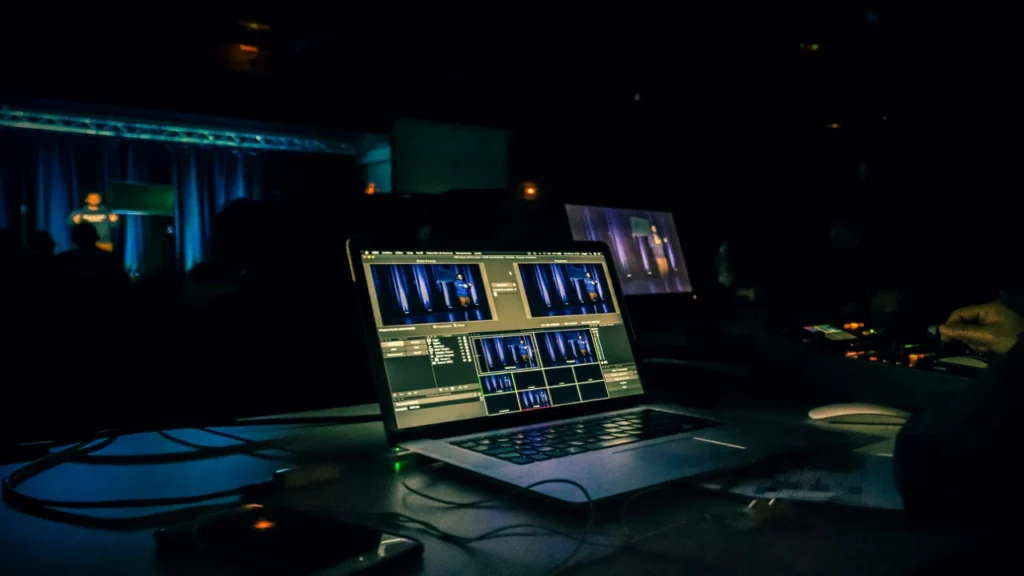
OBS browser source setup. In OBS, click the “+” in the Sources panel, select Browser, and enter the URL of your wheel tool. Set width and height to match where you want the wheel to appear in your scene (400 by 400 pixels is a reasonable starting point). Enable transparent background in your wheel tool settings so the wheel sits over your gameplay footage without a solid background box behind it. Test in your scene before going live.
Sound integration. Triggerfyre allows segment-specific sounds to fire automatically when the wheel lands on a particular outcome. A specific sound for a punishment segment and a different sound for a reward segment adds production value and gives viewers an audio cue before they see the result.
Mobile triggering. For creators who are not always seated at their desk during a stream, the ability to spin from a phone while moving around your setup is genuinely useful. Confirm that your chosen tool’s mobile interface allows full functionality before relying on it during a live session.
Specific streaming scenarios where wheels work
Dead chat revival. Load a command wheel with entries like “!discord,” “!socials,” “!song,” and “!clip.” Announce that whoever types the correct command first after the wheel lands gets a shoutout. The urgency of competition overrides the decision paralysis that keeps a quiet chat quiet.
Loyal viewer reward. Populate a name wheel with everyone who has typed in the last ten minutes. Spin live. The winner gets a personalised shoutout and picks the next game or song. Viewers learn that being present and active increases their chance of being selected, which shifts lurking toward participation.
Charity stream boost. Announce that every donation of a specific amount adds the donor’s name to a closing wheel. The winner gets to assign the streamer one pre-agreed outcome. The donation becomes a lottery ticket rather than a pure charitable act, which tends to drive a second donation wave after the initial one fades.
Clip moment generation. A dare wheel with specific, camera-visible, time-limited segments creates genuine unscripted reactions. “Speak in an accent for exactly three minutes” is better than “speak in an accent” because the countdown creates a visible duration that holds viewer attention. Every segment should pass the question: “Would this be worth watching as a 30-second clip?” If you run out of ideas for your wheel segments, you can pull high-energy prompts directly from our online Truth or Dare generator to keep the chat guessing.
Channel point redemption. Create a redemption called “Spin the Wheel” at a cost calibrated to your average viewer’s accumulation rate. When redeemed, spin a wheel with genuinely valuable outcomes: choosing the next game, requesting a song, adding a dare to the next wheel. Channel points acquire real perceived value when redemptions produce visible on-stream moments.
Keeping the format from going stale
Spinner wheels lose engagement effect when viewers can predict the stakes before the spin. The uncertainty is the mechanism. Once the format becomes routine, the uncertainty fades and attention follows.
The timeline for this in streaming is typically two to four weeks before the novelty stabilises. The practical response is to rotate what is on the wheel and what it controls, not to abandon the format.
A weekly theme rotation works better for stream audiences than a monthly one because viewer turnover is higher. Week one: name wheel for shoutouts. Week two: dare wheel for streamer challenges. Week three: game category selection. Week four: channel point reward draw. Announce the weekly theme at the start of each stream so returning viewers know the format without knowing the outcome.
Remote and Hybrid Use
A spinner wheel works in remote and hybrid settings with one adjustment: the wheel must be visible to all participants simultaneously.
For remote classrooms: Screen share the browser tab showing the wheel in Zoom or Google Meet so participants see the spin happen in real time. The shared visual maintains the anticipation dynamic that makes it effective in person. All-remote classes work identically to in-person ones once this is in place.
For hybrid classrooms: Display the wheel on the classroom screen and position it within the camera frame so remote participants see it at the same time as in-person students. Both groups experience the selection simultaneously. If your classroom camera does not capture the screen clearly, share the browser source directly in your video conferencing software as a second screen share.
For streamers: An OBS browser source overlay handles this automatically. Every viewer sees the wheel regardless of where they are watching from.
Common Questions
Is the result truly random?
Yes, in every practical sense. A properly built spinner wheel uses a pseudo-random number generator seeded with unpredictable system inputs at the moment of the spin. The outcome is determined before the animation begins and cannot be influenced by when or how you click.
Short sequences will sometimes produce clusters, where the same name appears two or three times in a row. This is normal and expected behavior for random systems. Statistical tests of randomness are meaningful only over large sample sizes. Over ten or twenty spins, uneven distributions are expected, not evidence of bias.
Can the same entry win multiple times in a row?
Yes, unless you are using a remove-after-selection mode. True randomness produces clusters. If you need each entry to appear exactly once before any repeats, use a tool with elimination mode and remove names after they are drawn.
How many entries can I add?
Most tools handle up to a few hundred entries without performance issues. For classroom use, lists under fifty names produce the clearest visual result. For streamers managing large viewer pools, a list-based draw with a spinning animation overlay is more practical than a wheel with hundreds of segments too small to read.
How do I prevent students from claiming the wheel is rigged?
Explain once, early in the term, that randomness produces clusters and that the same name appearing two or three times in a row is mathematically expected, not evidence of manipulation. Show your spin history if your tool provides one. The visible spinning animation helps: students who watch the wheel decelerate and land on a name are significantly more likely to accept the result than those who are simply told a name was randomly selected.
Can I use a spinner wheel for a live online giveaway?
Yes, for standard promotional draws and community giveaways. Each entry has equal probability of selection. For regulated sweepstakes or legally binding draws, check the compliance requirements in your region. Some jurisdictions have specific rules about how winners must be selected and documented that a web-based wheel may or may not satisfy depending on the stakes involved.
Before Your First Session: A Setup Checklist
For teachers:
- List of student names built in your chosen tool before students arrive
- Tool tested on your classroom device (smartboard, tablet, or laptop)
- Wheel displayed on projector or classroom screen during setup
- Rules announced to class: what happens when an absent student is selected, whether names stay in or are removed after selection
- Private conversation held with any students who have documented anxiety about verbal performance
For streamers:
- Wheel URL entered as a browser source in OBS with transparent background enabled
- Wheel positioned and sized correctly in your scene layout
- Sound integration tested if using Triggerfyre or similar
- Spin timing planned: when in the broadcast will the first spin happen
- Outcomes on the wheel reviewed: are all of them actually executable live on stream
References:
Kahneman, D., & Tversky, A. (1979). Prospect theory: An analysis of decision under risk. Econometrica, 47(2), 263-291. https://doi.org/10.2307/1914185
Lemov, D. (2021). Teach like a champion 3.0. Jossey-Bass.
StreamElements. (2023). State of streaming 2023 annual report. StreamElements. https://streamelements.com/